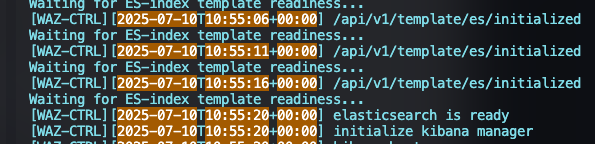
Hydra Wazuh error "Waiting for ES-index template readiness..."
This error occurs when the security groups have not been configured for access by the hydra. To resolve this please follow the steps outlined below:
Connect to your AWS console and ensure you have selected the correct region.
In the Search bar at the top type OpenSearch and Select “Amazon OpenSearch Service”

Click your tenant domain from the listed OpenSearch domains (you will have one OpenSearch domain for each tenant).
🔖 Do NOT use the global OpenSearch domain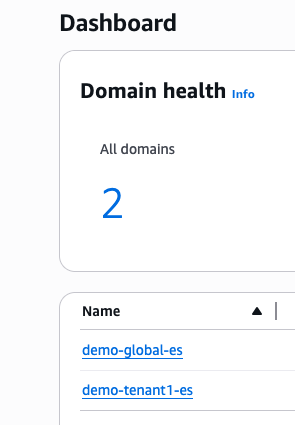
On the right side of the screen there is a section for “Number of master nodes”. In that section click on the blue URL below “Security Groups”
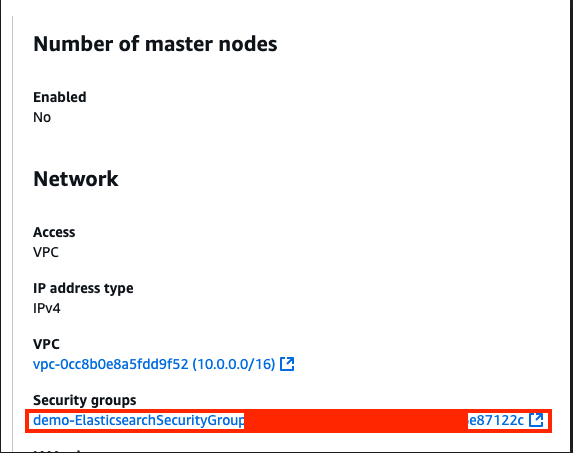
Click “Edit Inbound Rules” on the right side of the page

Click “Add Rule” on the left bottom of the screen

Change the type of the new rule to HTTPS and add 10.0.0.0/16 to the custom source range, provide a description of your choosing

Click “Save rules” at the bottom right

This rule will take a few minutes to apply, once it has been successfully apply you will see the following when running the following command
BASHdocker logs -f --tail 150 wazuh